
Install and start Bitcoin Daemon
Step - 1: Download and install bitcoin-core
Download bitcoin-core from Here
Select your prefered install location and complete the installation. 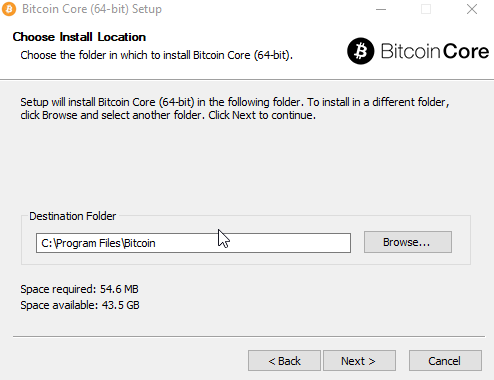
Step - 2: Running Bitcoin-core in regtest mode
Open Command Prompt or PowerShell and cd into the installed directory.
1
$ cd "C:/Program Files/Bitcoin/daemon"
You will see these file in the directory,
1
2
3
4
5
6
7
8
9
10
11

    Directory: C:\Program Files\Bitcoin\daemon


Mode                 LastWriteTime         Length Name
----                 -------------         ------ ----
-a----          6/1/2022   6:20 PM        2004480 .\bitcoin-cli.exe
-a----          6/1/2022   6:20 PM        2590720 bitcoin-tx.exe
-a----          6/1/2022   6:20 PM        6928384 bitcoin-wallet.exe
-a----          6/1/2022   6:20 PM       11921408 bitcoind.exe
Start the daemon by entering ,
1
$.\bitcoind -regtest
Now your bitcoin node is running in regtest mode.
Basic CLI commands in regtest mode
Creating a wallet
To test basic commands keep the previous console opened and start a new one.
Before doing anything we need to create a wallet by giving it a name. We do that by,
1
$ .\bitcoin-cli -regtest createwallet "your-wallet-name"
Now a wallet has been created and selected. You can check your Wallet info via,
1
$ .\bitcoin-cli -regtest getwalletinfo
Generating a new address
To generate blocks we need to get an address first. We do that by,
1
$ .\bitcoin-cli -regtest getnewaddress
It will give you a hash value as an address ; you should copy this address and generate 101 blocks with the command shown in the next step.
1
$ .\bitcoin-cli -regtest generatetoaddress 101 your-hash-string
In the console it will output the generated blocks and you will be able to check your balance up next.
Checking balance and making transactions
To check balance the CLI command is,
1
$ .\bitcoin-cli -regtest getbalance
The output should be 50.00 or more if you have followed previous steps correctly.
Making Transactions
To simulate transactions between two address we need to generate a new address. So we again generate a new address by using ,
1
$ .\bitcoin-cli -regtest getnewaddress
suppose the address we got from here is second-hash
We are going to send 20 bitcoin to this address. So we will be using -named flag to set the address , amount and fee rate.
1
$ .\bitcoin-cli -regtest -named sendtoaddress address=second-hash amount=20.0 fee_rate=2
Be sure to change
second-hashwith the address you got previously
if the transaction is successful it will show a transaction ID.
If you want to get detailed information about the transaction you can use the command below.
1
$ .\bitcoin-cli -regtest gettransaction <transaction-id>
And those were some basic functionalities of bitcoin-core in regtest mode. You can read further from https://developer.bitcoin.org/index.html
Common Errors
Type 1:
1
2
3
error: timeout on transient error: Could not connect to the server 127.0.0.1:18333 (error code 1 - "EOF reached")

Make sure the bitcoind server is running and that you are connecting to the correct RPC port.
This happens when your bitcoind server doesn’t initiate properly . Check if you have done this step properly.